When you sell fine jewelry online, gemstone color is everything. Our cloud rendering pipeline already produced 600+ photorealistic frames per item at scale — but the rendered gemstone color was driven by a text description from an API. Text is rarely precise enough. Stones could look washed out or subtly wrong, and the team had to correct color manually afterward. We eliminated that step entirely.
A photorealistic render is only as accurate as the gemstone color it starts with. Text descriptions of gemstone color — even detailed ones — are not precise enough for fine jewelry. A ruby described as "vivid red" can produce a dozen plausible interpretations in a renderer. The result was that rendered stones regularly differed from the real stones in the client's inventory, requiring a manual color correction step before any render could be approved. At scale, that step became a production bottleneck.
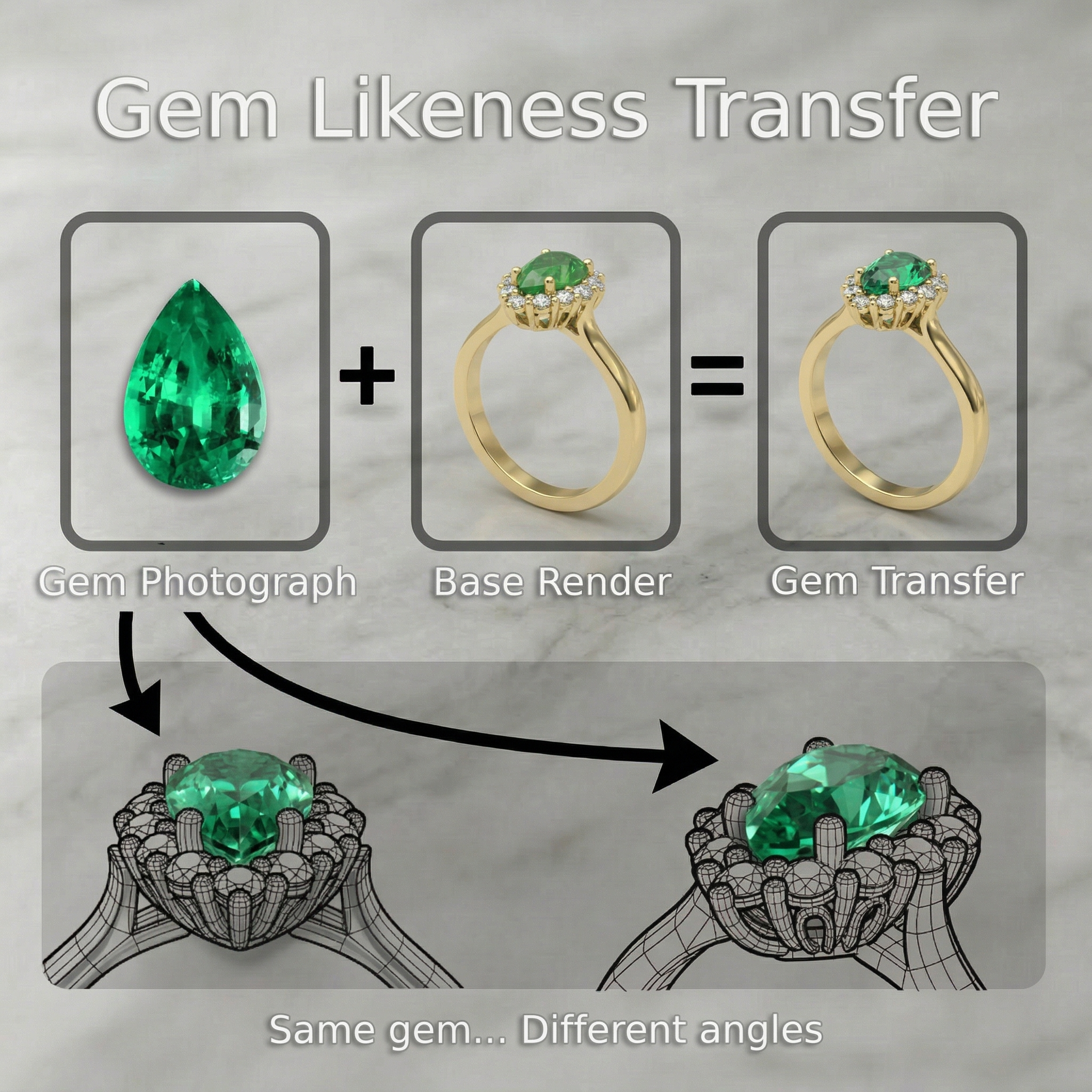
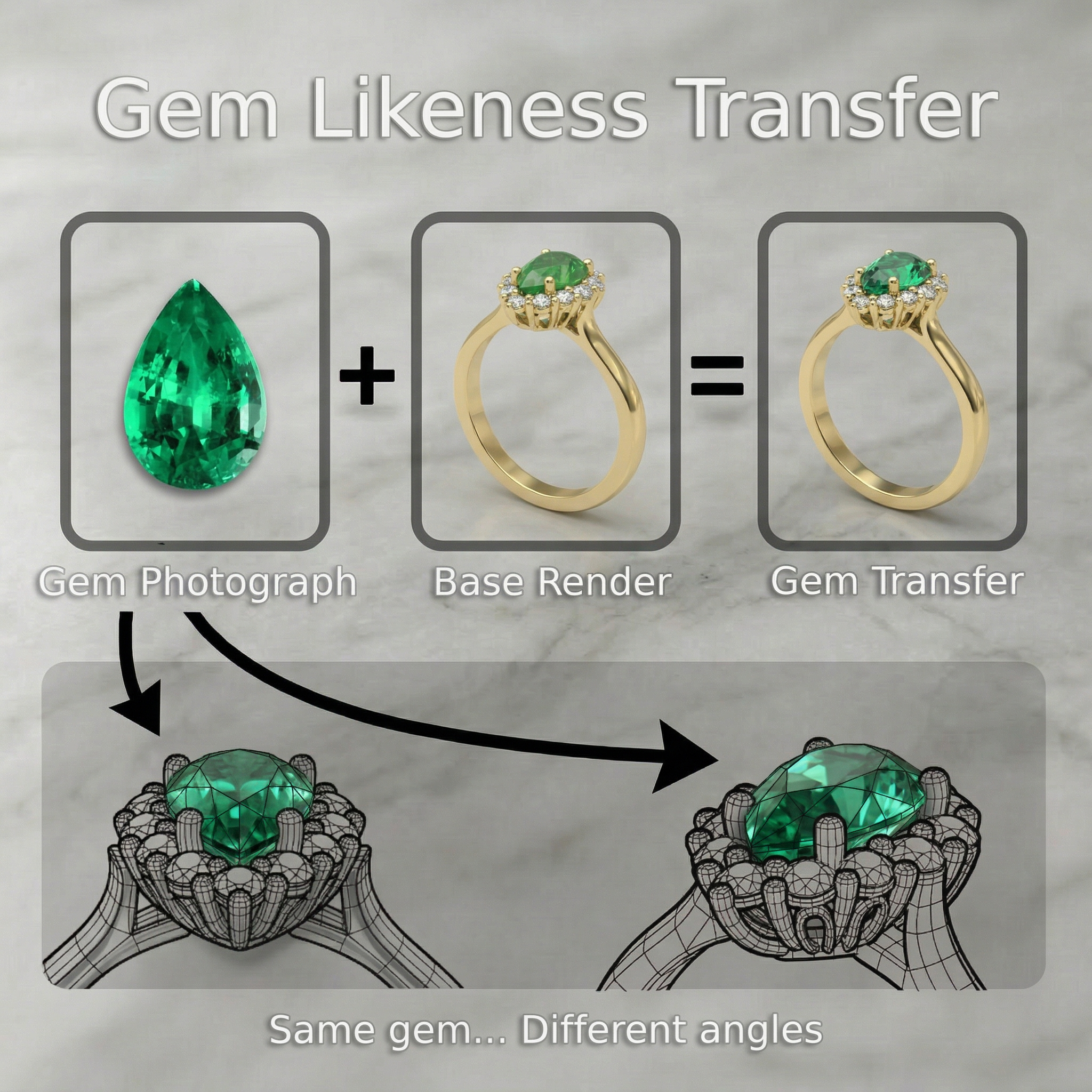
An automated photo-to-render color matching step, integrated into the existing rendering pipeline. For each gemstone, the system fetches the client's color-corrected packshot — their established ground truth for that stone's appearance — and transfers that photographic color likeness into every rendered frame:
- In the frontal view, the real stone image is automatically composited into the render for an exact match — no color interpretation required
- For all other angles, the rendered gemstone is automatically color-corrected so it stays consistent with the real stone's appearance
- The pipeline handles multiple stone types and colors — rubies, emeralds, sapphires, and others
- Fully automated — no manual color correction after the matching step runs
- Output integrates directly into the existing 600+ frame rendering pipeline
Text is rarely precise enough for gemstones. The ground truth is the stone itself — so we use it.
The video shows ruby and emerald examples — rendered gemstone color before and after the photo-to-render matching step. The difference in accuracy is visible across all angles.
Ruby and emerald examples — before and after photo-to-render color matching
Manual color correction was removed from the post-render workflow entirely. Every rendered gemstone now matches the client's real stone — as photographed under controlled studio conditions — across the frontal view and all secondary angles. The pipeline now runs from CAD input to approved render without a human color correction step in between.